
Peak season is when walk-ins earn their keep.
Whether you’re heading into holiday volume, catering season, end-of-year promotions, or simply higher weekly demand, one thing is consistent:
Inventory goes up—and walk-ins get packed tighter.
And when a walk-in gets overloaded, the problems usually show up fast:
- uneven temperatures
- slower recovery after deliveries
- blocked airflow
- longer compressor run time
- cluttered aisles and safety issues
- product getting lost or forgotten
The goal isn’t just fitting more product. It’s keeping the walk-in efficient, accessible, and stable when it’s under pressure.
In this article, we’ll break down what “overloading” really means, why it causes performance issues, and how to store more product without creating temperature swings and operational headaches.
Why Overloading Hurts Walk-In Performance
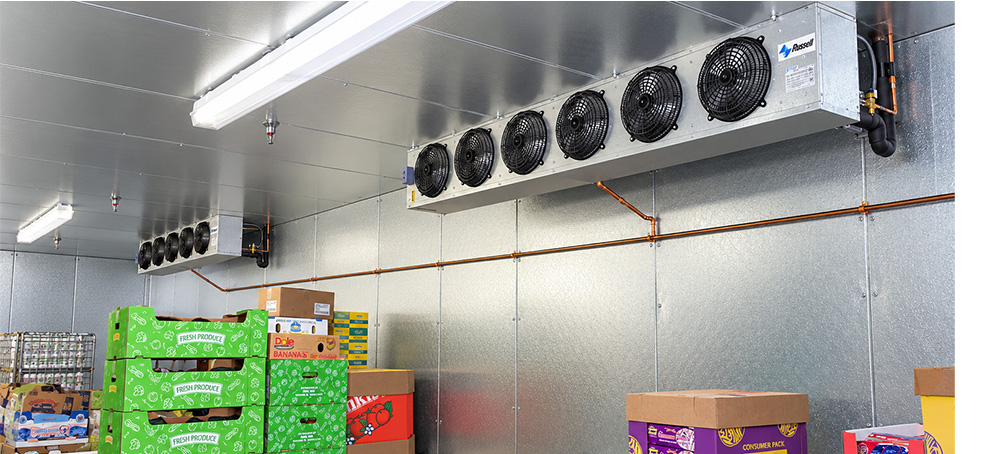
Walk-ins aren’t cooled by “cold walls”—they’re cooled by moving air.
The evaporator circulates cold air throughout the space, and that air has to:
- reach product surfaces
- move between stacks
- return toward the evaporator
- cycle continuously
When a walk-in is overloaded, the most common result is airflow restriction—and airflow restriction leads to uneven temperatures and longer run times.
Even if the thermostat reads fine, the walk-in can struggle in areas where cold air can’t reach.

The Most Common Peak Season Overloading Mistakes
1) Packing product wall-to-wall with no air gaps
When cases are stacked tightly with no space between, cold air can’t circulate properly.
This often creates:
- warm pockets inside stacks
- uneven product temps
- slow cool-down after deliveries
Even small gaps make a difference during peak storage.
2) Storing product too close to the evaporator
This is one of the fastest ways to reduce performance.
Blocking evaporator fan discharge can cause:
- poor circulation across the walk-in
- longer recovery after door openings
- uneven temperature zones
A walk-in can’t cool effectively if its cold air can’t move.
3) Stacking too high (especially in coolers)
When product is stacked high without airflow clearance, it creates dead zones—particularly along the top shelves and in corners.
Overstacking can also create:
- organization problems
- unsafe access
- product rotation issues
4) Blocking aisles and turning the walk-in into a maze
Peak season often turns into “put it wherever it fits,” which creates:
- longer picking time
- door-open time increases
- higher heat gain
- staff frustration
A cluttered walk-in makes temperature problems worse because the door stays open longer while people search for product.
5) Losing control of rotation (FIFO breakdown)
When inventory is stacked too tightly, rotation becomes difficult. The result:
- product gets buried
- older inventory is forgotten
- waste increases
- staff reorganizes constantly
Overloading doesn’t just hurt performance—it costs money through waste and inefficiency.
How to Store More Product Without Overloading Your Walk-In
You can increase storage capacity without sacrificing performance if you focus on organization and airflow.
1) Build Storage Zones (So You Don’t Stack Randomly)
Zones reduce chaos.
When staff knows exactly where product categories go, they don’t waste time rearranging while the door stays open.
Peak season zones might include:
- dairy
- produce
- proteins
- beverages
- prep ingredients
- overflow deliveries
Zones also help with rotation and reduce the temptation to pack corners too tightly.
2) Use Shelving and Vertical Space the Right Way
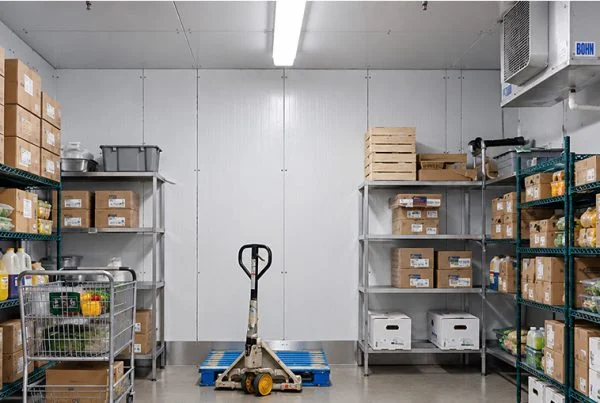
Shelving can help you store more and improve airflow—if it’s used correctly.
Best shelving habits:
✅ keep product organized by category
✅ leave air gaps between cases
✅ avoid stacking directly against walls
✅ keep heavier items low for safety
Shelving supports faster access and reduces the “pile it in” habit that creates airflow problems.
3) Protect Airflow Like It’s Non-Negotiable
If you want to avoid peak season temperature issues, these rules matter:
✅ keep clearance around evaporator fan discharge
✅ don’t block return airflow paths
✅ avoid packing product tightly into corners
✅ keep a small gap between product and walls
A walk-in can handle more inventory when airflow pathways remain open.
4) Create a Delivery Landing Zone
Peak season deliveries often overwhelm walk-ins because staff has to “make space” while the door stays open.
A delivery landing zone helps you:
- unload quickly
- close the door faster
- reorganize later once the walk-in is recovering
This one change often reduces peak-season heat gain dramatically.
5) Reduce Door-Open Time During Picks
During peak operations, the biggest temperature swings often come from a simple cause:
the door is open too long, too often.
If you want better stability:
✅ keep high-turn items near the entrance
✅ label zones clearly
✅ maintain clear aisles
✅ train staff to pick quickly and close the door
Less door-open time means less heat gain and faster recovery.
Final Takeaway: Peak Storage Success Comes Down to Airflow + Access
Overloading isn’t just about “too much product.”
It’s about blocking airflow and slowing access.
During peak season, your walk-in performs best when:
✅ product zones stay organized
✅ aisles remain clear
✅ airflow paths stay open
✅ deliveries don’t force long door-open time
✅ rotation stays controlled
If you maintain airflow and organization, you can store more inventory without sacrificing temperature stability or efficiency.